Your JobTread schedule, on your crew's Google Calendar. Both ways.
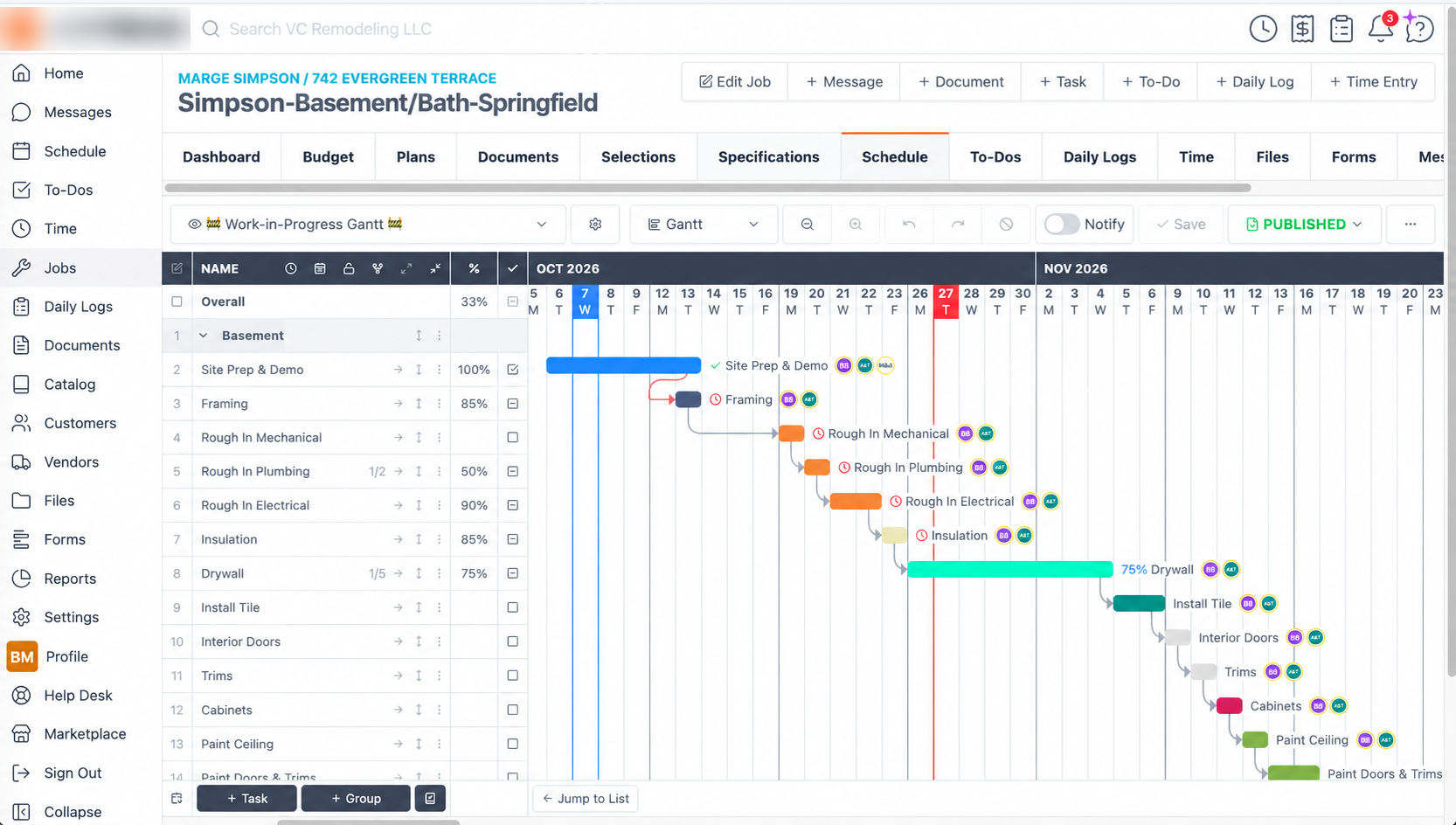
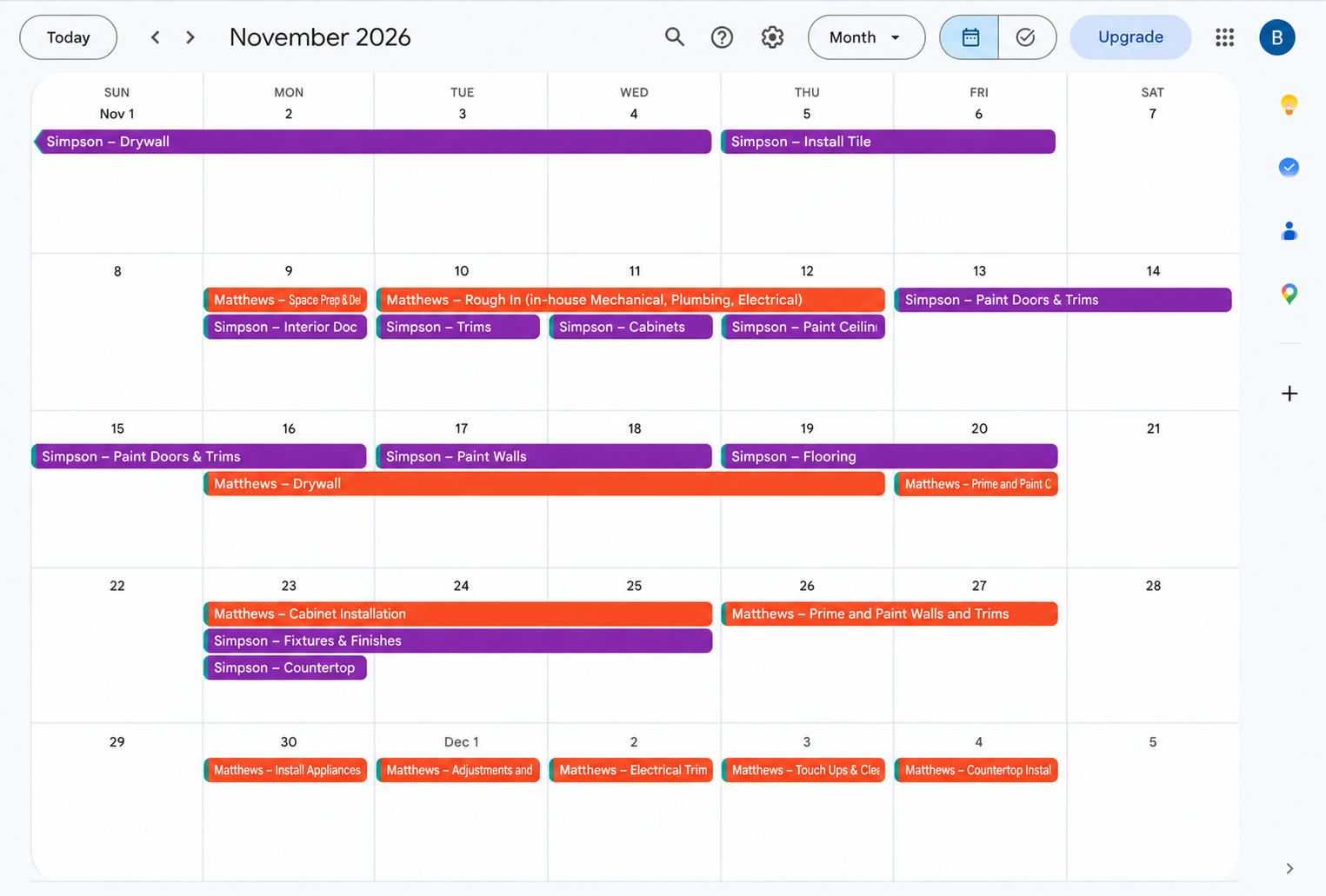
Publish a schedule in JobTread and every task lands on your crew's phones. When a crew member moves a date in Google Calendar, JobTread moves too. No one copies dates by hand.
We're looking for up to 15 JobTread contractors to try a private beta version. Once it's full, you can join the waitlist. We'll reply within two business days.
How it works
- Connect. Link your JobTread account and a Google account. ScheduleTie makes its own calendar there.
- Share. Share that calendar with your crew in Google Calendar, the way you'd share any calendar.
- Schedule as usual. Publish schedules in JobTread. Tasks show up on the calendar, and date changes made on the calendar come back to JobTread.
What it does
- Tasks become calendar events. Each task of the types you choose shows up with the job's address, the people assigned, the task's notes and files, and a link back to the schedule in JobTread. Change a task in JobTread and its event updates within moments.
- Date changes flow back. Move an event's date or time in Google Calendar and the task in JobTread moves too. Everything else stays set in JobTread, the system of record. If the office and the crew both change a date, JobTread's wins.
- Crew checklists. When a task has a checklist, its event links to a simple page where crew members check items off from their phones. Each check-off is saved straight to JobTread.
- Job colors. Every task of a job gets the job's color, so a crew can see at a glance which job is which.
Who it's for
Contractors, remodelers and builders who schedule their jobs in JobTread and whose crews run their day from Google Calendar. The office keeps planning in JobTread; the crew keeps the calendar app they already have, with no new app to install.
The beta
ScheduleTie runs every day for a remodeling company's own crews. We're opening a small private beta for a few more JobTread contractors.
- What beta testers get: setup help from us, a direct line to the person building it, and a say in what comes next.
- What we ask: use it on real schedules, and tell us what confused you or your crew.
- Price: The first two weeks are free: you enter a card when you sign up, and you're charged only if you keep it past the two weeks. After that, beta testers pay $13 a month, or $150 a year, locked in for as long as you stay subscribed. Outside the beta, ScheduleTie is $20 a month or $200 a year.
- To join: email support@scheduletie.com with your company name, roughly how many crew members use the calendar, and whether you use Google Workspace or personal Gmail accounts. We'll reply with next steps.
FAQ
Do my crew members need a new app?
No. They see the calendar in the Google Calendar app they already use. Each one needs a Google account, so you can share the calendar with them.
Which tasks show up?
Tasks on published schedules, of the task types you choose. An unpublished schedule stays off the calendar.
What happens if a crew member deletes an event?
Nothing changes in JobTread. Only dates and times flow back from the calendar; titles, notes and deletions never do. If you'd rather the calendar never change JobTread at all, you can turn off dates flowing back: an event moved on the calendar is then put back to JobTread's dates.
What if the office and a crew member both change a date?
JobTread's date wins, and the change is logged so it can be sorted out.
Can ScheduleTie see my other calendars or my email?
No. With the calendar permission you give it when you sign in with Google, it can only reach the one calendar it creates. From your Google account it learns only the account's id and email address, to sign you in; it never reads your emails.
What does it cost?
The first two weeks are free: you enter a card when you sign up, and you're charged only if you keep it past the two weeks. After that, beta testers pay $13 a month, or $150 a year, locked in for as long as you stay subscribed. Outside the beta, ScheduleTie is $20 a month or $200 a year.
How ScheduleTie uses your Google account
When you sign in with Google, ScheduleTie asks for three permissions: to know which Google account is signing in, to see its email address, and to create its own calendar in your Google account and manage the events on that calendar. It uses the calendar permission only to put your JobTread tasks on the calendar and to bring date and time changes back to JobTread, and your account's id and email address only to sign you in and contact you. It can't see your other calendars, and never reads your emails, contacts or files, and it never changes who the calendar is shared with. You share it with your crew yourself, in Google Calendar.
ScheduleTie's use and transfer to any other app of information received from Google APIs will adhere to the Google API Services User Data Policy, including the Limited Use requirements. Our privacy policy explains exactly what we access, what we keep and for how long.